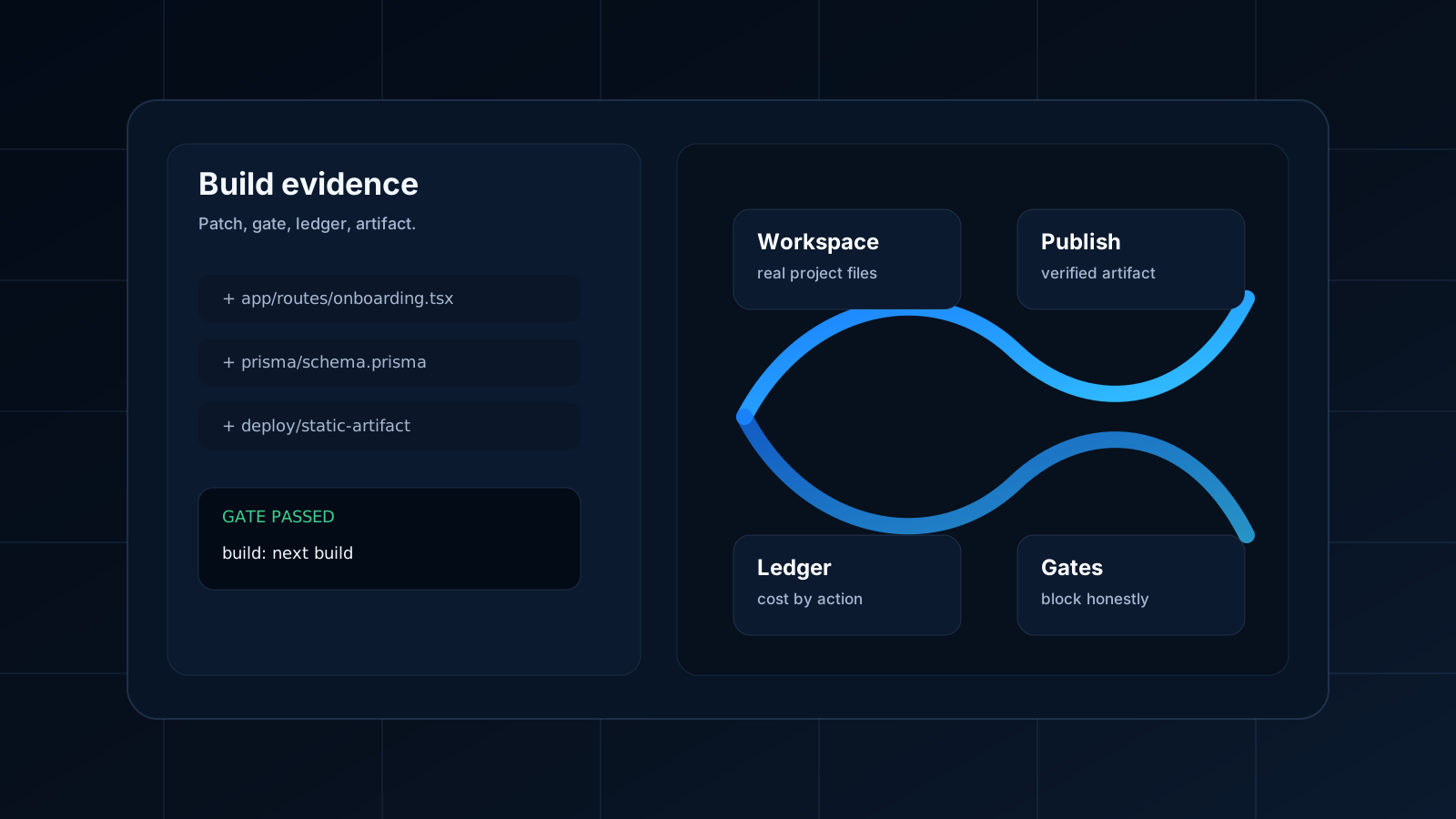
A good prompt is not a product brief. It is the beginning of a product brief.
When someone types "build me a tool to manage our field technicians," they are rarely asking for a form and a table. They are asking for a business surface: staff records, job assignments, approvals, audit history, role-based access, and a dashboard the operations team can trust with real data.
IronFlyer is designed for that full shape of work.
The goal is not to turn every founder into a software architect. The goal is to let a founder describe the product in human terms while the system translates that into technical decisions that can be inspected.
That is why IronFlyer is useful beyond simple prototypes. The same workflow supports a secure internal automation tool, an admin panel over a real database, or a back-office portal with deploy gates and account-level ownership.
Step 1: The prompt becomes a product target
The first job is interpretation.
IronFlyer has to understand the category of product before it can build responsibly. An admin panel, an operations dashboard, a back-office CRUD app, and an internal approval tool are not different skins on the same code. They need different foundations.
This is where a high-quality AI builder should slow down for a moment. The system should ask: what is the actual target?
Is the user asking for a read-only dashboard, a data-backed CRUD app, an internal portal, a backend API, or a tool that needs multiple parts?
That classification guides everything after it. It affects the blueprint, expected cost, workspace shape, gates, and publish route.
The user does not need to know all of that. They should simply feel that the product understood the job.
When you are ready to turn a rough product sentence into a real run, start in IronFlyer Studio. The prompt matters, but the workspace, blueprint, and gates are what keep the build from drifting.
Step 2: A blueprint gives the work a foundation
Blank projects are seductive. They feel flexible. They are also expensive.
IronFlyer reaches for blueprints because a good foundation saves money, time, and repair loops. A Next.js product with persistence should start differently than a static internal report. A Go API should start differently than an admin panel. A read-only reporting dashboard should not inherit assumptions from a write-heavy CRUD tool.
Eighteen production blueprints exist today — including admin-crud for exactly the internal-tool shape above, nextjs-saas, go-http-api, fastapi-api, node-express-api and static-landing. Choosing between them is a Decision Engine call, not a dropdown, and blueprints carry a learning registry so that selection can improve from outcomes.
Blueprints give the AI useful constraints:
- What files should exist.
- Which package manager and build command matter.
- Where UI copy lives.
- What deployable output looks like.
- Which gates should run before publish.
This is how an AI builder gets out of the blank-page trap. The system can still create custom software, but it starts from a structure that knows how to become an artifact.
Step 3: The workspace becomes real
The workspace is where IronFlyer separates itself from prompt-only tools.
The AI is not only writing a response. It is operating against a project. That means files, paths, logs, commands, and runtime evidence. The code has somewhere to live and somewhere to fail.
That workspace is a Docker container running a real Linux environment — on its own isolated network, with all Linux capabilities dropped, no-new-privileges set, and explicit CPU, memory and process ceilings. Those constraints are what make it reasonable to hand a language model a shell in the first place.
This is especially important for founders. Without a real workspace, every product update is a performance. With a real workspace, the founder can ask grounded questions:
Did the AI create the route?
Did it add the model?
Did it run the build?
Did the security gate pass?
Did the generated app produce a deployable artifact?
Those are the questions that turn a build from entertainment into operations.
Step 4: Patches make change reviewable
Software should not appear as an untraceable blob.
IronFlyer is designed around patch lifecycles because patches create accountability. A patch has intent. It changes specific files. It can be reviewed, gated, applied, repaired, or rejected.
For a small founder team, this matters even if nobody wants to read every line. It means the system itself has a structure for change. When something breaks later, the product history can point back to the work that introduced it.
Reviewability is not a luxury feature for enterprise buyers. It is how small teams avoid becoming afraid of their own AI-generated code.
Step 5: Gates decide what can move forward
A workflow without blocking gates is only a progress animation.
IronFlyer uses gates to protect the run. Some gates are economic: ProfitGuard asks whether the wallet supports the next expensive step, and whether that step is worth taking. Some are technical: does the build pass, does the artifact exist, does the code drift from the spec it was supposed to implement. Some are about safety.
The security gate is the one with veto power. It runs a fifteen-scanner engine — Semgrep, Gitleaks, Trufflehog, Trivy, Govulncheck, OSV-Scanner, Syft, ScanCode and npm audit among them — and it checks the things generated code most often gets wrong: secrets committed to source, dependencies with known CVEs, injection and unsafe sinks, and auth missing on a mutating route. Critical and high findings stop the build and are shown with file, line and rule. Medium and low are surfaced as warnings rather than blocking, because a gate that blocks on everything gets switched off.
The user should not have to guess whether "ready" means "pretty close." The product should show readiness as evidence.
This also changes how repair works. If a gate fails, the next move should be specific: repair the missing file, switch the provider, use a cheaper blueprint, top up before the next expensive step, or stop because the margin does not make sense. A failed gate feeds a replan with the finding as input — running the identical generation again is not a retry, it is a second charge for the same answer. Recovery re-runs only the gate that failed, which is the cheap move rather than the theatrical one.
That is more useful than a polite assistant saying it will try again.
Step 6: Publish is treated as a claim
Publishing is not a confetti moment. It is a claim about reality.
A product is not published because the UI says the build is complete. It is published when the deploy path produces an artifact, promotes it, and the read side can serve it without inventing a live state.
Deploy is a node inside the gated pipeline. There is no path that ships without passing the security gate, and production promotion requires an explicit human approval by default. Approval is deliberately cheap to ask for: a run waiting on a person is not burning a worker, which is what makes it affordable to gate destructive actions rather than only the convenient ones.
If a step fails, the product should say that. When a deploy cannot be verified, the run settles as unverified rather than claiming a ship.
This honesty is part of the selling point. Founders do not need more optimistic software. They need software that helps them make better launch decisions.
Step 7: The build remains a living object
The first publish is not the end. It is the first point where feedback becomes real.
A team asks for a different onboarding path. A settings page needs a new option. A dashboard needs a permission model. An approval flow needs another step. A report needs a new filter.
IronFlyer is built so the same execution system can keep working after the first version. The product remembers project structure, patch history, gate behavior, and cost patterns. That makes iteration less like starting a new chat and more like continuing a product.
The completion score reports what the build actually achieved rather than climbing to a reassuring hundred. A partially complete build says so and names what is still open.
The best AI builder is not the one that wins the first screenshot. It is the one that helps the product survive the tenth change.
That is the IronFlyer workflow: prompt, blueprint, workspace, patch, gate, artifact, publish, learn, repeat.
If that is the kind of building rhythm you want, create an account and check pricing before the first paid execution. It is easier to ship when the product shows both the work and the cost of getting there.